
Glossary term
AOL Instant Messenger (AIM)
AOL Instant Messenger, better known as AIM, was a free messaging service that let people chat in real time and see which friends were online. AOL introduced it in 1997 and discontinued it on December 15, 2017.
For many people, AIM meant screen names, buddy lists, and an away message that somehow needed to communicate your entire emotional state. It made being online feel like a place your friends could turn up.
AIM arrives in 1997
AIM launched in 1997. It brought AOL’s messaging experience to internet users beyond the company’s paid subscribers: you could use AIM without paying for an AOL internet account.
AOL sold internet access, promoted through mailings such as AOL CDs; AIM was a separate messaging product. Your screen name was the identity people used to find and message you.
The buddy list was the gathering place
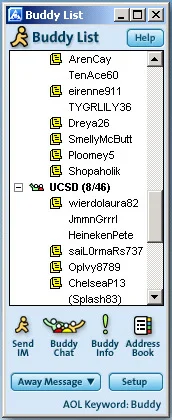
You signed in, added people to a buddy list, and opened a conversation when someone was available. The list made presence visible: the person you wanted to talk to might be online, away, or offline.
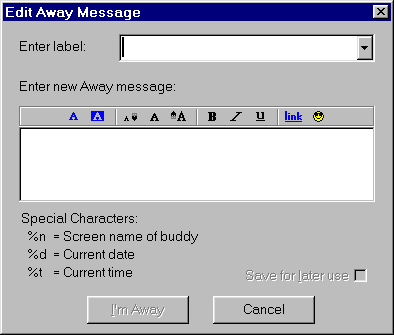
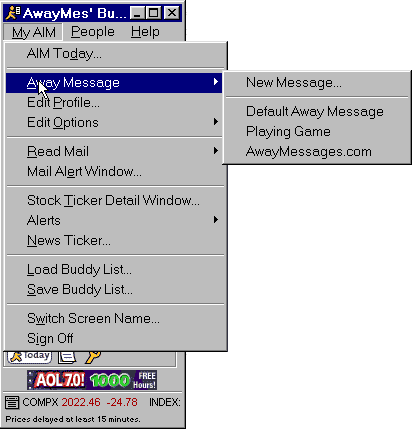
An away message added another layer. It could do the practical job—“out for dinner, back later”—or become a small public performance. A joke, a carefully chosen line, or a pointedly vague update could say plenty without naming anyone.
AIM combined private conversation with a little window into the people around you. Even before a conversation started, checking the list was part of the experience.
Does AOL Instant Messenger still exist?
The original AOL-operated AIM service is no longer available. AOL discontinued it on December 15, 2017.
Old installers and archived webpages still turn up online, but they won’t bring the original service back. Modern recreations are separate projects, even when they look familiar.
Why did AIM shut down?
In its shutdown announcement, Oath, the company operating AOL at the time, said the way people communicated had changed. It was retiring AIM while developing other communication products.
The shutdown came twenty years after AIM’s introduction. The surviving announcement, titled “One Last Away Message,” leaned into the same things people associated with the service: screen names, carefully arranged buddy lists, and away messages.
The part people remember
Your screen name, buddy list, and away message made AIM feel personal. You could sign in hoping one particular person would be there, or leave a message that was technically for everyone but really meant for someone.
The little social rituals outlasted AIM: watching someone’s availability, editing a status, waiting for a reply while pretending you weren’t. Later apps put those habits on phones and in workplaces. AIM’s window closed, but the question behind the buddy list—who’s around?—didn’t go away.
One client, several messaging networks
Keeping in touch could mean maintaining more than one messenger because friends were scattered across different networks. Multi-protocol clients brought several of those accounts into one application, so a person could manage conversations without opening every service’s own program.
That did not turn all networks into one shared service. Each account still belonged to its network, and compatibility depended on what the client and service allowed. The interesting convenience was one interface over several separate systems.
Ephemera
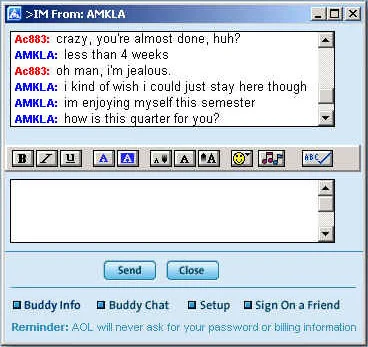
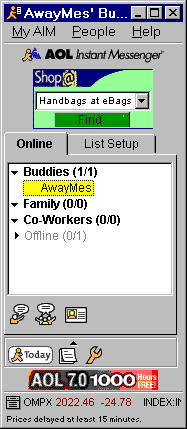
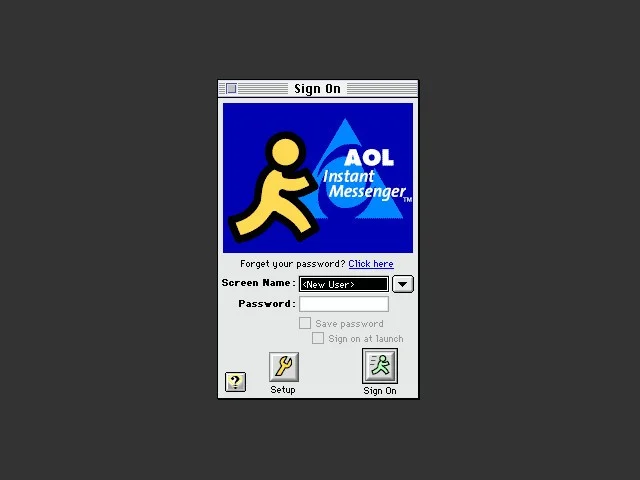
Screen names, tiny icons, and a separate window for every conversation. Here’s what AIM actually looked like.


48 pixels of fandom
Three buddy icons from Depeche Mode’s official Devotional download page. The site offered them for AIM and its message board. ©2004 Demilune Limited. Source: Depeche Mode.


Related reading
 THE MAILBOX
AOL CDs
AOL CDs were promotional CD-ROMs containing America Online software and offers for a free trial of its online service. Distributed through the mail and other channels during the 1990s and 2000s, they became a familiar physical artifact of getting online.
 THE FEATURE
Buddy Lists
A buddy list is a saved list of people in an instant messaging service, usually showing whether each person is online, away, or offline. It puts your contacts and their availability in the same window.
 THE MESSAGE
Away Message
An away message is a notice that tells people you are unavailable to respond, often explaining why or when you will be back. Depending on the messaging service, it appears as a status message or is sent as an automatic reply.