
Glossary term
QuickTime
QuickTime is Apple’s multimedia technology and associated player software for working with digital audio and video. It helped make movies a familiar part of the desktop and the web, from saved clips to eagerly downloaded trailers.
A movie could arrive as a file. You opened a small player window, waited for enough of it to load, and watched something you had gone looking for—possibly the same trailer several times.
The trailer was a reason to get online
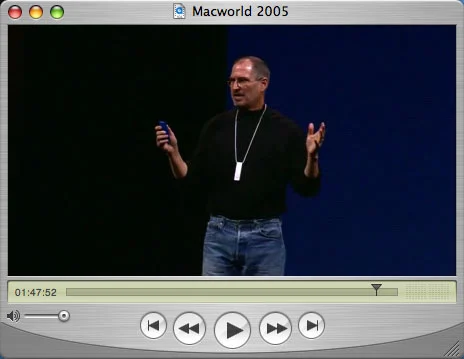
QuickTime gave a movie a recognizable home on the computer: a picture, a timeline, and controls for pausing or going back. A video could be something you kept and replayed, rather than something you happened to catch on television.
The Star Wars trailers made that possibility hard to miss. In its August 2000 announcement with Lucasfilm, Apple reported more than 35 million downloads for the Episode I trailers and described plans to bring Episode II production updates and trailers to the web in QuickTime. The attraction was straightforward: a preview you could choose to watch, rather than wait to catch somewhere else.
In 1999, there was no YouTube to open; its beta did not arrive until May 2005. Lucasfilm describes the March 1999 full trailer for The Phantom Menace as a QuickTime exclusive, available through Apple.com and StarWars.com. That was a specific release arrangement: Microsoft’s Windows Media Broadband Guide was also offering movie trailers later in 1999.
Somebody had to make the version your modem could handle
Delivering the clip took work on the other side of the screen. A publisher balanced image size, sound, frame rate, and compression against how much data a connection could carry. A larger picture was not much of an improvement if it would not play smoothly.
Terran Interactive’s 1999 production guide shows an editor preparing alternate QuickTime versions for 28.8-kilobit, 56K, and dual-ISDN connections, with a still-image fallback. One source movie became several delivery choices. That menu of connection speeds represented real production work, not just different labels on the same download.
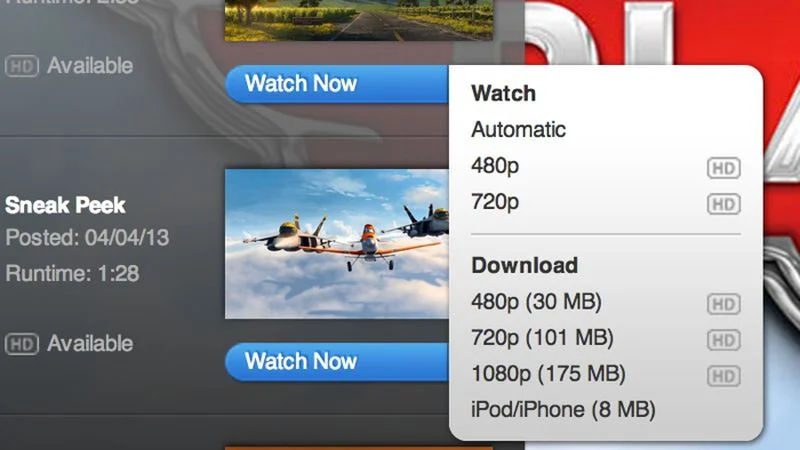
QuickTime reference movies could point to alternate versions so the software could select an appropriate one. The experience we now expect from online video—some accommodation for the connection we actually have—already required decisions about which version to deliver.
More than the little player
The application was the visible part of a larger system. Developers used QuickTime technology to create and handle media; a QuickTime movie file could organize tracks of sound, video, text, and other media. A .mov extension named a container, not one universal method of compressing its contents.
QuickTime Pro also offered authoring features such as editing and export. Playing a clip and making a version for somebody else to watch were related jobs, but they did not require the same controls or knowledge.
The video stayed; the old plug-in did not
A modern browser can play supported video without the old QuickTime browser plug-in. Apple no longer supports QuickTime 7 for Windows. That does not make every QuickTime movie an obsolete file, or mean the current Mac application called QuickTime Player has disappeared.
The QuickTime file format became a basis for MPEG-4, although MOV and MP4 remain distinct formats. The little standalone player is no longer a prerequisite for watching a trailer. Pressing Play is usually enough.
Ephemera
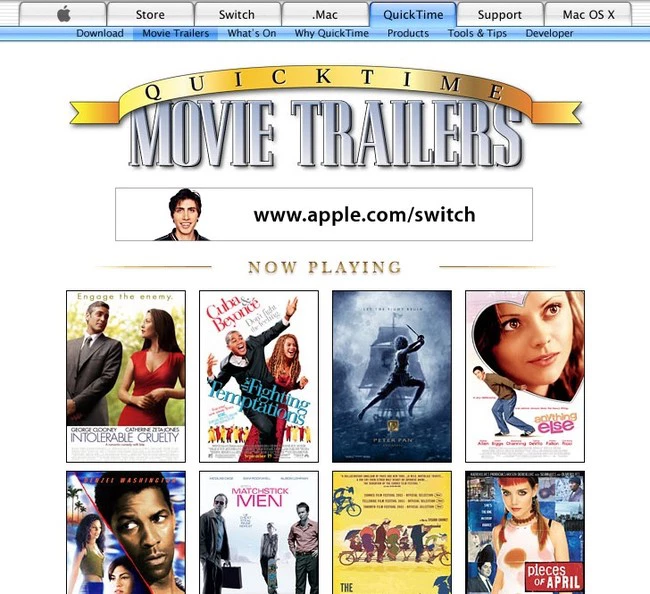
The trailer homepage, the tiny movie window, and the choices you made before pressing Play.


Frequently asked questions
Was Apple the only place to watch movie trailers before YouTube?
No. YouTube launched in beta in May 2005, but other sites already offered trailers. Lucasfilm’s March 1999 Phantom Menace full trailer was a specific QuickTime-exclusive release through Apple.com and StarWars.com; Microsoft also advertised online movie trailers in 1999.
Is QuickTime the same as MOV?
No. QuickTime names Apple technology and player software. MOV is a filename extension associated with the QuickTime movie container. A MOV file can hold media encoded with different codecs.
Is QuickTime still available on a Mac?
Yes. QuickTime Player remains a Mac application. It should be distinguished from the older QuickTime 7 software and browser plug-in; Apple no longer supports QuickTime 7 for Windows.
Did you have to download the whole QuickTime movie before watching?
Not always. QuickTime supported arrangements that could begin playback while a file downloaded, as well as streaming. The result depended on how the publisher prepared and delivered the movie and whether the connection could keep up.
What was QuickTime Pro?
A paid upgrade that unlocked additional capabilities in versions such as QuickTime 7, including editing and export tools. Those historical features and licensing should not be confused with the current Mac player’s feature set.
Related reading
 INTERNET HISTORY
RealPlayer
Click the clip. Open the player. Wait for the internet to catch up.
 INTERNET HISTORY
Broadcast.com
The game, the radio station, the company briefing: a computer could take you beyond the broadcast’s original reach.
 INTERNET HISTORY
Windows Media Player
Copy the CD. Fix the track names. Choose a visualization. The collection lived on the PC.
 RELATED TERM
Codec
A codec is software or a set of rules for turning sound or video into a stored form and turning it back for playback. Many codecs also reduce the amount of data the media needs.
Sources
- Apple and Lucasfilm: the Star Wars web-video partnership, August 2000
- Terran Interactive: How to Produce High-Quality QuickTime, 1999, page 40
- Apple: QuickTime reference movies and connection-specific versions
- Apple: QuickTime file format
- Apple: QuickTime 7 user guide
- Apple: QuickTime 7 for Windows is no longer supported
- Apple: current QuickTime Player guide for Mac
- John Siracusa’s 2005 Mac OS X Tiger review and QuickTime screenshots
- Lucasfilm: StarWars.com oral history and the 1999 QuickTime trailer
- YouTube: beta launch in May 2005
- Microsoft: movie trailers in its December 1999 media guide